
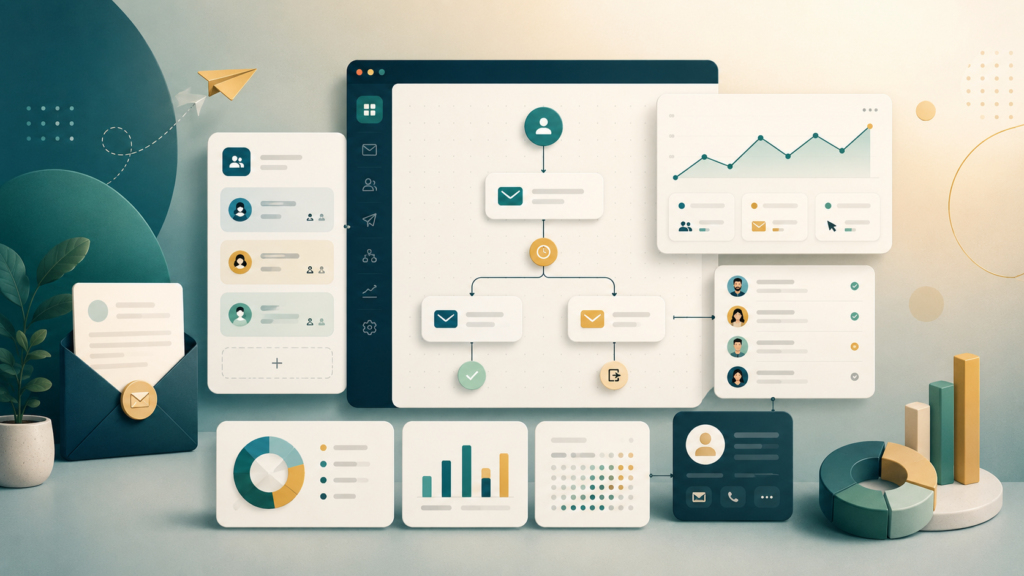
ActiveCampaign is a platform for email marketing, automation, and customer journeys. It is often chosen by teams that have already outgrown basic newsletters and want to build smarter communication: segments, triggers, email sequences, follow-ups, and personalized scenarios for different audience groups.
If Mailchimp often feels like a clear starting point for email campaigns, ActiveCampaign is more about the next level. It has stronger automation, deeper segmentation, and more options for lifecycle marketing.
But that does not mean every team needs it. If you are only starting to send your first emails and do not yet understand what scenarios you need, ActiveCampaign may feel more complex than necessary. It makes more sense when email is already becoming an important channel for sales, retention, or repeated customer touchpoints.
What is ActiveCampaign
ActiveCampaign is a platform for email marketing and marketing automation. It helps teams collect contacts, segment audiences, send campaigns, build automated sequences, and track user behavior.
The main strength of the platform is not just sending emails, but building scenarios. For example, one user opens an email, clicks a link, and receives the next piece of content. Another user does nothing and enters a separate reminder sequence. A third user buys a product and gets an onboarding or repeat purchase flow.
This approach is especially useful for businesses that do not want to send the same email to everyone, but guide users through different paths based on their behavior.
What ActiveCampaign is used for
ActiveCampaign is used when email marketing becomes part of the funnel, not just a way to send company updates.
The platform can be useful for:
- regular email campaigns
- welcome sequences
- lead nurturing
- follow-up automation
- database segmentation
- reactivation of inactive contacts
- repeat sales
- ecommerce scenarios
- B2B communication
- lifecycle marketing
For example, a company can create a sequence for a new lead: first a welcome email, then useful content, then a case study, then an offer to book a call or demo. If the scenario is set up properly, all of this can work automatically.
Email campaigns
ActiveCampaign allows you to create regular email campaigns: updates, promotions, digests, announcements, emails for clients, and newsletters for subscribers.
There is an email editor, templates, basic content blocks, personalization, and sending settings. For most marketing tasks, this is enough.
But the main value of ActiveCampaign is not basic newsletters. Simple campaigns can be done in lighter tools too. ActiveCampaign becomes more useful when emails are connected to segments, user actions, and automated flows.
Audience segmentation
Segmentation is one of ActiveCampaign’s strongest features. You can divide contacts by tags, lists, actions, interests, sources, purchases, and other conditions.
For example, you can work separately with:
- new subscribers
- active customers
- users who open emails
- people who have not engaged for a long time
- leads from a specific form
- buyers of a certain product
- contacts who clicked a specific link
- users who reached a certain funnel stage
- This helps send more relevant emails. Not the same message to everyone, but different messages for different situations
Automation flows
The strongest part of ActiveCampaign is the visual automation builder. You can build sequences with conditions, actions, delays, and branches.
For example:
- A person submits a form
- The system adds a tag
- Five minutes later, a welcome email is sent
- If the email is opened, the user receives the next piece of content
- If it is not opened, another email is sent a few days later
- If the person clicks a link, a task is created for a manager
- If the person buys, they leave one sequence and enter another
This logic is useful for businesses that want to work with their audience in a clean and organized way, instead of sending the same messages to everyone.
Triggers and conditions
In ActiveCampaign, automations can be started by different events. For example:
- subscribing to a list
- submitting a form
- adding a tag
- opening an email
- clicking a link
- visiting a page
- making a purchase
- changing a deal status
- a date or event in the contact profile
This gives a lot of flexibility. You can build scenarios around your actual business logic: sales, onboarding, retention, repeat purchases, lead nurturing, or reactivation of an old database.
But the more conditions you add, the more important structure becomes. If automations are built without a clear map, it is easy to create confusion, duplicate emails, and unnecessary touchpoints.
Lead scoring
ActiveCampaign includes lead scoring, which means rating contacts based on their actions. For example, a user opens several emails, visits a product page, and downloads a guide. The system can add points and show that this lead has become warmer.
This is useful for B2B sales and teams where marketing passes leads to sales.
Lead scoring helps the sales team avoid calling everyone randomly and focus on people who show interest. But for this to work, you need to decide in advance which actions really matter and how many points they should receive.
CRM and sales
ActiveCampaign is known as an email and automation platform, but it also includes CRM features. You can manage deals, stages, tasks, and contacts.
This can be useful for small teams that want to connect email marketing and sales in one system.
For example, if a lead actively reacts to emails, the system can create a deal or a task for a manager. That way, marketing touchpoints can move into the sales process.
But if a company needs a full CRM with a strong sales pipeline, advanced reporting, and daily manager work, it is worth comparing ActiveCampaign with Pipedrive, HubSpot CRM, or Zoho CRM.
Who ActiveCampaign is good for
ActiveCampaign works best for companies that already understand the value of email marketing and want to build automated scenarios, not just send newsletters.
The platform can be useful for:
- ecommerce businesses
- SaaS teams
- B2B companies
- online schools
- digital products
- agencies
- marketing teams
- businesses with repeat sales
- companies that care about nurturing and retaining customers
- ActiveCampaign looks especially strong when there is already a contact database, regular communication, and a clear funnel
What we like about ActiveCampaign
The platform has several strong points:
- powerful automations
- flexible segmentation
- visual scenario builder
- tags and conditions
- lead scoring
- email and CRM connection
- email personalization
- many integrations
- strong lifecycle marketing options
The main advantage of ActiveCampaign is that it allows you to build not just one-time campaigns, but a communication system around the customer.
What to consider
ActiveCampaign can be more complex than simple email services. If your team is just starting and does not yet understand which sequences it needs, some features may feel unnecessary.
Before choosing it, check:
- how many contacts you have
- which scenarios you want to automate
- who will set up the sequences
- whether the team has time to maintain automations
- which integrations are needed
- whether pricing works as the database grows
- whether you need built-in CRM or only email
- how comfortable the interface feels for your team
It is important to understand that automation needs order. If the database is messy, tags are added randomly, and no one documents scenarios, even a strong tool will not save the process.
ActiveCampaign or Mailchimp
Mailchimp is often more convenient for a simple start: basic newsletters, templates, a clear interface, and quick launch.
ActiveCampaign is stronger when you need:
- complex sequences
- triggers
- segmentation
- lead scoring
- different scenarios for different groups
- connection with sales
- deeper lifecycle marketing
If your goal is to send a weekly newsletter, Mailchimp may be simpler. If email should work as part of a sales and retention funnel, ActiveCampaign looks stronger.
ActiveCampaign or HubSpot
HubSpot is a broader ecosystem: CRM, marketing, sales, service, and content in one platform. ActiveCampaign is more focused on email marketing, automation, and customer scenarios.
If a company needs one large system for several departments, HubSpot may be more convenient. If the main task is strong email automation without moving into a very broad platform, ActiveCampaign may be more practical.
ActiveCampaign for ecommerce
For ecommerce, ActiveCampaign can be especially useful. You can build scenarios around customer behavior.
For example:
- welcome series after signup
- email after the first purchase
- product recommendations
- abandoned cart reminders
- reactivation of inactive customers
- segmentation by interests
- sequences for repeat purchases
But for ecommerce, it is important to check integrations with your platform: Shopify, WooCommerce, or another solution. Without proper data transfer, automation will be weaker.
ActiveCampaign for B2B
In B2B, ActiveCampaign works well for lead nurturing. Not every client is ready to buy immediately. Sometimes they need several touchpoints: useful content, a case study, a comparison, an invitation to a demo, or an email from a manager.
The platform helps build this kind of sequence without doing everything manually.
Lead scoring is also useful here. If a contact actively interacts with emails and content, they can be passed to sales faster.
Final thoughts
ActiveCampaign is a strong platform for email marketing and automation. It suits companies that want to do more than send emails and instead build clear communication scenarios with customers.
The platform is especially useful for ecommerce, SaaS, B2B, online schools, and teams where email plays an important role in sales, retention, or repeated touchpoints.
But ActiveCampaign should be chosen intentionally. If you only need a simple newsletter tool, it may be too much. If email is a real sales and retention channel for your business, ActiveCampaign is definitely worth adding to your shortlist.