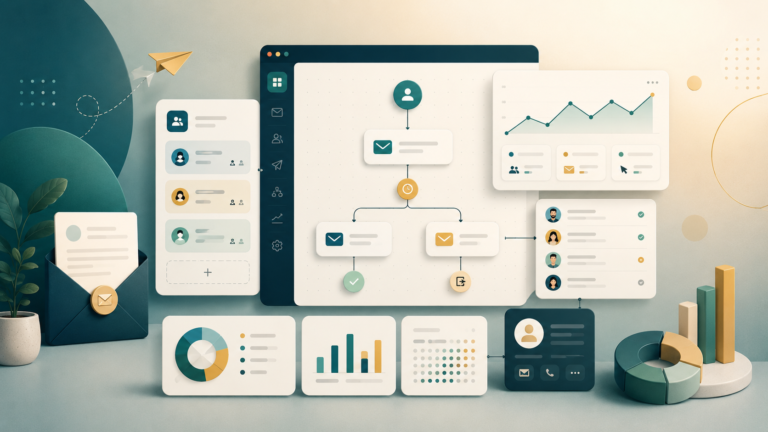

HubSpot CRM is often chosen by companies that need more than just a contact database. It is a single system for sales, marketing, and lead management. It is one of the most visible CRM products on the market because it covers several tasks at once: contact management, sales pipeline, email communication, forms, automation, reports, and the connection between marketing and sales.
The main feature of HubSpot is that you can start quite simply and then gradually expand the system. At the beginning, a team can use the basic CRM, manage deals and contacts, and later add marketing tools, automation, service processes, and deeper analytics.
But HubSpot is not a fit for everyone. If a company only needs a simple sales pipeline, it may be more practical to start with a lighter CRM. If the goal is to bring marketing, sales, and customer communication into one ecosystem, HubSpot can be a very strong option.
What HubSpot CRM is
HubSpot CRM is a system for managing contacts, deals, leads, and customer communication. It lets you store customer data, manage a pipeline, assign tasks to managers, track emails and calls, view interaction history, and analyze team activity.
But HubSpot is no longer just a basic CRM. Around the core CRM, there is a full ecosystem: marketing, sales, service, content, automation, and reporting.
For a company, this is convenient because data is not scattered across different tools. Marketing sees where the lead came from. Sales sees the contact history. Management sees what is happening in the pipeline. The team loses less information between departments.
Who HubSpot is good for
HubSpot is best suited for companies that need a clear and scalable system for working with leads and customers.
The service can be useful for:
- B2B companies
- SaaS projects
- agencies
- service businesses
- sales teams
- marketing departments
- companies with a long sales cycle
- projects where marketing and sales need to be connected
- businesses that want to grow inside one CRM ecosystem
HubSpot works especially well when a lead goes through several stages: subscription, request, consultation, email sequence, call, offer, negotiation, and deal. In this logic, it is important to see the full contact history, not just the current deal status.
Main HubSpot CRM features
In the basic CRM, you can work with contacts, companies, deals, and tasks. For many teams, this is already enough to move away from spreadsheets and start managing sales more accurately.
Key features include:
- contact and company database
- deals and pipeline
- tasks for managers
- communication history
- email integrations
- forms
- meetings and calendar
- basic reporting
- contact lists
- segmentation
- integrations with other services
- If a company is just starting to organize its CRM process, this set is usually enough for the first stage
Sales pipeline
HubSpot lets you set up a pipeline according to your sales process. You can create deal stages, assign owners, add tasks, and track where each customer is in the process.
For example, a pipeline can look like this:
- new lead
- contact established
- qualification
- demo or consultation
- offer sent
- negotiation
- deal won
- deal lost
The main thing is not just to create stages, but to agree on what each status means. If managers move deals according to different rules, reporting quickly becomes messy.
HubSpot works well for teams that need to see not just a list of customers, but real movement through the sales pipeline.
Marketing and leads
One of HubSpot’s strongest sides is the connection between CRM and marketing. A lead can come from a form, ad, landing page, email campaign, or another channel, and then automatically appear in the CRM.
The team can see:
- lead source
- which pages the person opened
- which forms they filled out
- which emails they reacted to
- which materials they downloaded
- which funnel stage the contact is in
- This helps sales teams avoid working blindly. The manager sees the context and understands what the person is already interested in
For B2B and SaaS, this is especially important because a purchase often happens not after the first touchpoint, but after a series of interactions.
Automation
Automation in HubSpot helps remove repeated manual actions. For example, you can automatically create tasks, send emails, change a lead status, add a contact to a list, or notify a manager.
You can automate:
- welcome emails after a request
- follow-up after a consultation
- reminders for managers
- lead distribution between sales managers
- contact status changes
- nurture sequences
- notifications about hot leads
- internal tasks
- simple onboarding scenarios
The strength of HubSpot is that automation is connected to the CRM. This is not a separate email sequence in isolation. It is a scenario built around a real contact, their status, and their behavior.
But automation needs order. If contact properties, deal stages, and user roles are not planned in advance, the system can quickly become complicated.
Email and communication
In HubSpot, you can work with email communication: send emails, use templates, track interactions, and build sequences.
For a sales team, useful features include:
- email templates
- open and click tracking
- email sequences
- contact notes
- tasks after email
- communication history in the customer card
For marketing, email campaigns, segments, forms, and nurture scenarios are useful. This helps the team build communication not only manually, but also through more systematic flows.
Reports and analytics
HubSpot helps look at sales and marketing in one system. This is more important than it may seem. In many companies, marketing looks at leads, sales looks at deals, and management tries to understand where revenue is actually being lost.
In HubSpot, you can analyze:
- number of leads
- request sources
- conversion between stages
- manager activity
- lead response speed
- deal value
- sales forecast
- email campaign performance
- quality of different channels
- For management, this is convenient because it shows not only “how many requests came in”, but also what happened to them afterward
HubSpot pricing
HubSpot has free tools and paid plans. This is one reason why the service is often considered at the beginning: you can start with the basic CRM and then connect the modules you need.
But it is important to understand that advanced features, automation, expanded reporting, and marketing tools can noticeably increase the cost.
Before choosing HubSpot, check:
- which features are really needed now
- how many users will be in the system
- how many contacts are in the database
- whether marketing automation is needed
- whether sales sequences are needed
- whether advanced reports are needed
- what limits exist on the selected plan
- how much growth will cost in 6-12 months
HubSpot can be very convenient, but it should be evaluated not only by entry price, but also by total cost of ownership as the team and database grow.
What to check before buying
Before implementing HubSpot, it is better not to rely only on a polished demo. You need to check how the service fits your real process.
Pay attention to:
- pipeline structure
- contact properties
- user roles
- lead handling rules
- request sources
- integrations with the website and forms
- email deliverability
- reports for management
- cost of the required modules
- data migration options
If the company already has a CRM, it is important to plan data migration in advance: contacts, companies, deals, notes, statuses, sources, and communication history.
HubSpot or Pipedrive
Pipedrive is simpler and often more convenient for sales-first teams that need a clear sales pipeline without a large marketing ecosystem.
HubSpot is stronger if you need to connect CRM, marketing, forms, email, automation, and analytics in one system.
If the team wants to quickly organize sales, Pipedrive may be easier. If the business is building a systematic lead process from first touchpoint to deal, HubSpot is broader.
HubSpot or ActiveCampaign
ActiveCampaign is stronger in email automation, segmentation, and nurture scenarios. It is a good choice if the main task is communication, sequences, and lifecycle marketing.
HubSpot is broader as a CRM ecosystem. It is more convenient if you need to connect marketing, sales, deals, contacts, and reports.
If you need a powerful email automation tool, ActiveCampaign may be more practical. If you need one system for marketing and sales, HubSpot will often be stronger.
HubSpot for B2B
For B2B, HubSpot can be especially useful. In B2B, sales rarely happen after one touchpoint. Usually there is a lead, several emails, a call, a demo, an offer, approval, and repeated follow-ups.
HubSpot helps collect this path in one system. The team sees where the lead came from, which materials they viewed, who communicated with them, and which stage the deal is in.
This is especially important when marketing and sales need to work together instead of passing leads through spreadsheets and chats.
HubSpot for SaaS
For SaaS, HubSpot can be useful as a system for leads, onboarding, sales pipeline, and marketing communication.
For example, a SaaS team can use HubSpot for:
- processing demo requests
- welcome communication
- nurturing trial users
- lead segmentation
- passing hot contacts to sales
- tracking sources
- pipeline reporting
But if the product strongly depends on behavioral events inside the app, HubSpot may need to be connected with product analytics or separate lifecycle tools.
Main advantages of HubSpot
HubSpot has several strong points:
- clear CRM
- strong ecosystem
- connection between marketing and sales
- forms and landing pages
- email tools
- automation
- reports
- convenient contact history
- many integrations
- ability to start basic and grow later
- The main advantage is that all information about leads and customers can be collected in one place
HubSpot limitations
HubSpot is not always the best choice for small teams that only need a simple CRM. In that case, some features may be unnecessary.
Things to consider:
- cost grows with needs
- advanced features may be on more expensive plans
- the system requires careful setup
- without discipline, the team can quickly make the data messy
- migration from another CRM can take time
- automation needs documentation
- not all features are needed at the start
- HubSpot is strong as a system, but a system needs order
Common implementation mistakes
The most common mistake is connecting HubSpot and immediately trying to use all features. This quickly overloads the team.
It is better to start with the basics:
- contacts
- companies
- pipeline
- deal stages
- lead sources
- tasks
- basic reports
- a few important automations
Other mistakes include:
- not describing the sales process before setup
- creating too many fields
- not agreeing on pipeline rules
- not assigning a CRM owner
- not training the team
- not checking data quality
- not calculating the cost of growth
- not connecting CRM with real KPIs
- HubSpot gives many possibilities, but without a process it will not solve the problem by itself
Final thoughts
HubSpot CRM is a strong platform for companies that need one system for sales, marketing, and lead management. It is especially useful for B2B, SaaS, agencies, and service businesses where it is important to see the customer journey from first contact to deal.
HubSpot’s main advantages are its ecosystem, data transparency, automation, and connection between marketing and sales. But before choosing it, you should carefully check the cost, required features, process structure, and whether the team is ready to keep the CRM clean.
If the company needs a simple sales pipeline, it may be better to start with a lighter CRM. But if you need a clean CRM stack with room for growth, HubSpot remains one of the clearest and safest options on the market.