
Notion is often called a note-taking app, but that description is a bit too narrow. In practice, it is a workspace where you can store documents, build knowledge bases, collect tasks, plan content, create internal guides, and organize team work.
The main strength of Notion is flexibility. It can be used in many different ways: as a personal notebook, a company knowledge base, a content calendar, a light project management system, or an internal team portal.
But this flexibility has another side. If you do not think through the structure, Notion can quickly turn into a mess of pages, duplicates, and unclear tables. That is why it works best when a team agrees on basic rules and keeps the workspace organized.
What is Notion
Notion is a tool for notes, documents, databases, and collaboration. In one workspace, you can create pages, tables, lists, kanban boards, calendars, knowledge bases, and templates.
Unlike a basic note-taking app, Notion lets you connect information together. For example, you can create a database of articles, add statuses, authors, deadlines, and categories, and connect all of that to an editorial calendar.
That is why Notion is often used not only for personal notes, but also for team work.
What Notion is used for
Notion can be adapted to many tasks. Some people use it as a simple notebook, while others build almost the entire internal system of a company inside it.
Most often, teams use Notion for:
- team knowledge bases
- internal documentation
- content calendars
- editorial planning
- task lists
- a basic CRM
- process documentation
- onboarding for new employees
- personal notes and plans
- work templates for repeated tasks
- It is useful when a team needs one place for documents, ideas, instructions, and working materials
Documents and notes
The simplest use case for Notion is documents and notes. You can create pages, write text, add headings, lists, tables, images, links, checklists, and nested pages.
This is more convenient than storing everything in dozens of Google Docs, especially when documents are connected to each other. For example, inside one page you can create sections, add links to other materials, and build a small internal guide.
For personal work, Notion is also useful: notes, plans, ideas, reading lists, work thoughts, and draft materials can all live in one place.
Databases
One of Notion’s strongest features is databases. They are not just simple tables. In a database, you can create records, add properties, filters, statuses, dates, tags, and different views.
For example, the same database can be viewed as:
- a table
- a calendar
- a kanban board
- a list
- a gallery
This is useful for content teams, project teams, editorial teams, marketers, and small businesses. You can create a database for articles, clients, tasks, ideas, projects, or internal documents.
Content calendar and editorial work
For editorial and content teams, Notion often becomes the center of work. It can store article ideas, content statuses, deadlines, authors, links, briefs, and final drafts.
For example, an editorial workflow can look like this:
- idea
- in progress
- editing
- ready to publish
- published
- Each article can be a separate page with an outline, text, links, comments, and tasks
For small media teams and marketing teams, this is convenient because there is no need to keep a separate spreadsheet, document folder, task tracker, and notes app.
Team knowledge base
Notion works well as a knowledge base. You can collect company rules, instructions, processes, templates, FAQs, onboarding materials, and internal documents in one place.
This is especially useful when a team grows. New people can understand where things are, and experienced employees do not have to explain the same things in chats again and again.
But a knowledge base works only if someone actually maintains it. If documents become outdated and the structure is not updated, Notion turns into a storage room full of pages that are hard to find.
Task management
Notion can also be used for tasks, although it is not a full replacement for specialized project management tools like Asana, ClickUp, or Jira.
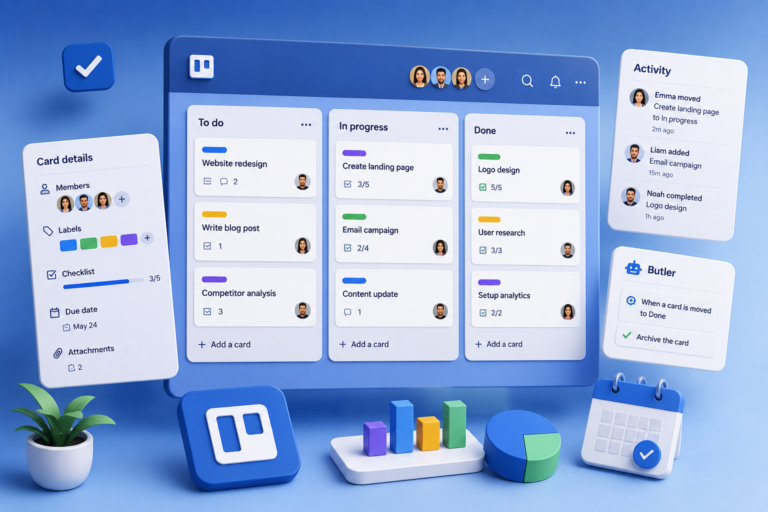
For light planning, Notion can work well. You can create a kanban board, task list, calendar, assign people, add deadlines, and use statuses.
This is useful for small teams, editorial teams, marketing departments, and projects where tasks are not too complex.
But if your team has many dependencies, sprints, advanced notifications, workload planning, and project reporting, a dedicated project management tool may be more convenient.
Templates
Notion has many ready-made templates. You can find templates for planning, CRM, content calendars, knowledge bases, personal productivity, finance, learning, and project management.
This is a good way to start quickly. You do not have to build everything from scratch - you can take a ready structure and adapt it to your needs.
But templates should be used carefully. Sometimes they look nice, but do not fit real processes. It is better to start with a simple structure and make it more complex only when there is a real need.
Collaboration
Notion is useful for team collaboration. You can invite members, give access to pages, leave comments, mention colleagues, edit documents together, and create shared workspaces.
This helps remove part of the chaos from messengers. Instead of searching for an important instruction in chat history, the team can keep it in Notion and update it when needed.
Notion is especially useful for teams with a lot of text-based information: editorial teams, agencies, marketing teams, HR, operations, and product teams.
What we like about Notion
Notion has several strong points:
- flexible page structure
- convenient editor
- databases
- templates
- collaboration
- the ability to keep documents, tasks, and knowledge in one place
- clean interface
- many possible use cases
The main advantage of Notion is that it adapts to the team. You can start with a simple knowledge base and later add a content calendar, tasks, templates, and work processes.
What to consider
Notion needs order. If everyone creates pages however they want, without structure and rules, the workspace quickly becomes difficult to use.
Before implementing it, think about:
- which sections the team needs
- who owns the structure
- how pages should be named
- where important documents should be stored
- who updates the knowledge base
- which templates should be used
- what should not be stored in Notion
- what access rights are needed
Another point is that Notion is not always the best option for complex project management. It is flexible, but not always convenient for large teams with many tasks, dependencies, and reporting needs.
Who Notion is good for
Notion can be a good fit for:
- content teams
- editorial teams
- marketing departments
- startups
- small businesses
- agencies
- operations teams
- freelancers
- specialists who need to store a lot of information
- Notion works best when there are many documents, ideas, knowledge, and processes that need to be kept in one understandable place
When to look at alternatives
Notion does not solve every task. Sometimes a separate tool is better.
For example:
- for complex project management, look at Asana, ClickUp, Trello, or Jira
- for a corporate knowledge base, Confluence may be a better fit
- for simple notes, Google Keep, Apple Notes, or Obsidian may be enough
- for tables and structured data, Airtable or Google Sheets may work better
- for documentation in large teams, Google Docs or Microsoft Loop may be more practical
Notion is useful as a flexible workspace. But if the task is very specific and requires a strong specialized feature, a separate service may be more practical.
Notion for teams
If a team wants to use Notion as more than a note-taking app, it is better to agree on basic rules from the beginning.
For example:
- create a main workspace page
- create clear sections
- define page owners
- use shared templates
- clean old documents regularly
- avoid duplicates
- set rules for naming and access
- This may sound boring, but these details decide whether Notion becomes useful or turns into a mess
Final thoughts
Notion is a strong tool for notes, documents, knowledge bases, and light process organization. It works well for teams that need to collect information in one place and stop getting lost in dozens of documents, tables, and chats.
The main advantage of Notion is flexibility. It can be adapted for personal work, an editorial team, a marketing team, a startup, or a small business.
But for Notion to really help, it needs structure. If the team thinks through rules, templates, and responsibility for keeping things organized, Notion can become a useful work center. If not, it can quickly become one more place where it is hard to find anything.